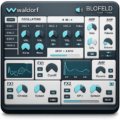
Cloudy Samples Aesthe v1.0.0 for MacOS


About Cloudy Samples Analog Deck 24
Aesthe is Cloudy Samples’ mastering and mix-enhancement plugin, and it’s built around a different premise than a typical EQ or compressor: instead of you dialing in settings by ear, it analyzes the incoming signal in real time and adapts its processing to what’s actually there. Turn one knob, and it triggers a chain of adaptive processors instead of one fixed effect.
It’s aimed at anyone finishing a mix who wants a fast, intelligent polish pass rather than stacking 5 separate plugins by hand. Vocal engineers dealing with harshness or sibilance, producers cleaning up a muddy low-mid buildup on a drum bus, anyone mastering a full mix who wants warmth and clarity without second-guessing every setting. It covers a wide range of genres well: EDM, hip-hop, pop vocals, lo-fi, house, techno, R&B, podcasts, and cinematic work all get mentioned as fits.
The signal chain runs through 2 main sections. The Cleaner handles problem frequencies: De-Rumble for adaptive low-end cleanup that keeps kick and bass weight intact, De-Mud/De-Box/Un-Cloud for boxy low-mid resonance, Harsher/Tame for piercing digital frequencies, De-Ess for surgical sibilance removal, and Focus for pushing key elements forward in the mix. The Enhancer section then adds character back in: warmth, stereo depth, harmonic saturation, and a final Varnish stage for overall sheen. A classic analog-style VU meter doubles as the preset browser with one click, and built-in Autogain keeps A/B comparisons honest by matching loudness automatically.
As a 1.0.0 release, Aesthe doesn’t carry a version history yet, but it launched as part of an already active Cloudy Samples catalog that includes Analog Deck 24, Resonia, and Filtre, so it’s built on a workflow the company has iterated on before. It runs as a 64-bit VST3/AU plugin, with a resizable interface and universal support across Intel and Apple Silicon Macs, as well as Windows.
Key Features (Latest Version)
- Adaptive Signal Analysis: Processing responds dynamically to your input in real time.
- De-Rumble: Removes sub-frequency buildup while preserving low-end punch.
- De-Mud / De-Box / Un-Cloud: Targets boxy, muddy low-mid resonance.
- Harsher / Tame: Smooths piercing digital frequencies without dulling the sound.
- Surgical De-Essing: Removes sibilance while preserving air and brightness.
- Focus Module: Phase and spectral processing to push elements forward in a mix.
- Varnish Stage: Adds warm harmonic saturation for a finished, polished sheen.
- 16 Advanced Processors: Combined into a single streamlined workflow.
- Built-in Autogain: Objective, level-matched A/B monitoring.
- Universal Support: 64-bit VST3/AU, Intel and Apple Silicon Macs, plus Windows.
Cloudy Samples Analog Deck 24 v1.0.0 Screenshots

System Requirements (macOS)
- Operating System: Compatible macOS version supported by the instrument
- Processor: Apple Silicon or compatible Intel processor
- Memory: 8 GB RAM recommended
- Storage: Sufficient free space for the instrument and sample content
- DAW: Compatible macOS music-production host
- Audio: Core Audio-compatible interface recommended
How to Install Cloudy Samples Analog Deck 24 v1.0.0
- Download the macOS installation package.
- Open the downloaded DMG or installer package.
- Follow the installation instructions.
- Install the required instrument and sample content.
- Choose the appropriate content location if prompted.
- Complete the installation process.
- Launch your preferred DAW.
- Scan for the installed instrument if it is not detected automatically.
- Load Analog Deck 24 and begin creating sounds.
Note: Make sure the required sample content is installed in its correct location and that your DAW is configured to scan the appropriate instrument or plugin locations.
Related Software You May Like
- Apple Logic Pro v12.3 U2B MacOS
- Fender Studio Pro 8 v8.1.0 for MacOS
- FabFilter Total Bundle v2026.06.25 for MacOS
Summary
Cloudy Samples Analog Deck 24 v1.0.0 for macOS is a sample-based instrument designed to add analog-inspired warmth, texture, and character to modern music-production projects.