Grub2Win v2.4.2.8 Free Download for Windows


About This Program
Grub2Win v2.4.2.8 is a powerful and flexible boot manager designed for Windows users who want to boot multiple operating systems with ease. It supports both UEFI and BIOS firmware, allowing users to install and run Linux, Windows, and other systems on the same computer. With its clean graphical interface and automatic configuration tools, Grub2Win makes it simple even for beginners to manage complex boot setups without using command-line utilities.
One of the key advantages of Grub2Win is its compatibility with a wide range of systems and drives. It installs safely on Windows partitions and doesn’t modify the Windows boot files, ensuring system stability and security. Users can easily customize boot menus, themes, background images, and boot order preferences. Whether you’re a system administrator, a Linux enthusiast, or just someone experimenting with dual-booting, Grub2Win provides a reliable and user-friendly environment.
Grub2Win’s modular design allows it to load various operating systems and kernels efficiently. It includes advanced features like booting from ISO files, managing multiple drives, and integrating custom scripts for automated setups. The tool updates regularly to support the latest versions of Windows and Linux, ensuring continued compatibility and smooth performance for every user.
Features
- Supports both UEFI and BIOS firmware
- Allows dual-booting or multi-booting Windows, Linux, and more
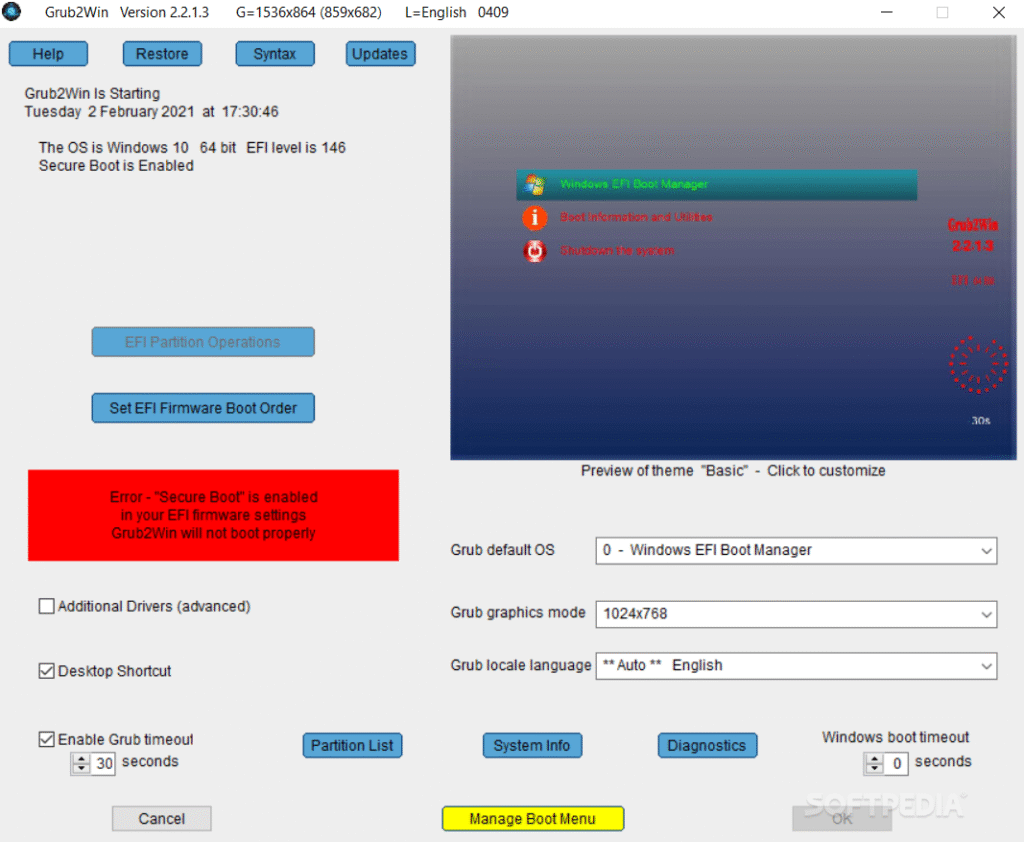
- Graphical interface for easy setup and management
- Boots directly from ISO, WIM, and VHD files
- Installs safely on the Windows partition (no system modification)
- Fully customizable boot menu with themes and icons
- Regular automatic updates for stability and security
- Command-line and advanced scripting support for professionals
- Works with GPT and MBR partitions
- Lightweight and free to use
Screenshots

System Requirements
- Operating System: Windows 7, 8, 10, 11 (32-bit & 64-bit)
- Processor: Dual-core CPU or higher
- Memory (RAM): 1 GB or more
- Storage: 10 MB free disk space
- Graphics: Basic VGA or higher
- Firmware: UEFI or Legacy BIOS support
Frequently Asked Questions (FAQs)
Q1: Is Grub2Win free to use?
Yes, Grub2Win is completely free and open-source software.
Q2: Can I use Grub2Win to dual-boot Windows and Linux?
Absolutely. It’s designed to make dual-booting or multi-booting between Windows, Linux, and other systems simple and safe.
Q3: Does it modify the Windows boot loader?
No, Grub2Win installs safely on your Windows partition without changing or overwriting boot files.
Q4: Is Grub2Win compatible with UEFI systems?
Yes, it supports both UEFI and legacy BIOS boot modes.
Q5: Can I customize the boot menu look?
Yes, you can change the background, icons, themes, and order of your operating systems.
Other Software You May Like
Ratiborus KMS Tools Lite 06.07.2025
Revo Uninstaller Pro Final 2025
Summary
Grub2Win v2.4.2.8 is one of the most reliable and flexible boot managers for Windows users who want full control over their multi-boot environment. With easy installation, a graphical interface, and advanced customization options, it’s perfect for beginners and tech enthusiasts alike. The software ensures a safe and stable booting process across multiple operating systems, making it a must-have tool for anyone managing diverse OS setups.
Grub2Win v2.4.2.8 Free Download for Windows
Direct Download Link Size: 1.5 MB