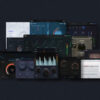
Modartt Pianoteq 9 PRO v9.3.1 MacOS U2B

About Modartt Pianoteq 9 PRO
Modartt Pianoteq 9 PRO is a professional virtual instrument that reproduces the sound and response of acoustic pianos and other keyboard instruments. Conventional sample playback isn’t its main method. Pianoteq uses physical modeling to calculate the instrument’s response in real time. You get detailed control over the behavior and character of the virtual instrument, which suits recording, composition, practice, and live performance.
The sound engine models how different instrument components interact, including strings, hammers, dampers, and the soundboard. Those elements decide how notes respond to playing dynamics and how the instrument behaves when notes overlap. Changes in velocity, pedal use, and playing technique all shape the sound, and that expressiveness matters to pianists and keyboard players.
Pianoteq 9 PRO gives you a detailed environment for shaping an instrument’s tone. Adjust the available parameters to change aspects of the modeled sound and build variations for different musical styles. Whether you want a clear sound for classical passages, a warmer tone for intimate recordings, or a distinctive instrument for experimental work, the flexibility is there. The available controls depend on the selected instrument and your license.
Physical modeling generates sound from the instrument model, so it doesn’t depend entirely on large recorded sample libraries. That keeps the software fairly lightweight compared with some sample-based piano instruments. Actual CPU usage still depends on the instrument, your settings, the audio buffer, and your computer hardware. Check performance and latency settings on your Mac if you work on demanding projects.
Use it as a standalone instrument or as a plugin in a compatible DAW. Composers and producers can run Pianoteq alongside synthesizers, orchestral libraries, effects, and other virtual instruments. A MIDI controller makes playing feel more natural, especially when the keyboard supports velocity sensitivity and a sustain pedal.
The PRO edition is for users who need advanced instrument editing and customization beyond basic piano playback. Pianoteq’s instrument models and add-on packs offer different keyboard sounds, and the editing environment lets you refine the response and tonal characteristics of supported instruments. Check Modartt’s current edition comparison and instrument-pack information to see which features and instruments come with your license.
Pedals deserve a closer look. Sustain, soft, and sostenuto pedals change how a modeled piano resonates, and Pianoteq responds to partial pedaling too. If you play with a basic on/off switch pedal, you’ll miss some of that detail. A continuous pedal gives you far more control over the sound.
Velocity response changes how the piano feels under your fingers. If notes sound too loud or too soft for your playing, adjust your keyboard’s velocity curve or Pianoteq’s dynamics setting. Spend a few minutes tuning it to your touch before you record. Then your softest passages and strongest accents land where you expect.
Modartt Pianoteq 9 PRO v9.3.1 is identified here as a macOS release with Apple Silicon and Intel compatibility where the particular build supports it. The U2B label generally refers to a Universal 2 Binary. Verify the package’s architecture and compatibility with your macOS version before you install. Consult Modartt’s official documentation for accurate release information, supported plugin formats, and licensing details.
Key features of Modartt Pianoteq 9 PRO
- Physical modeling sound engine: Generates instrument sound through physical modeling and doesn’t depend entirely on traditional sample playback.
- Expressive piano response: Models playing dynamics and instrument behavior for a responsive experience with a suitable MIDI controller.
- Instrument customization: Adjust available parameters to shape the tone and response of supported instrument models.
- Pedal interaction: Reproduces important pedal-related behavior for a more detailed piano performance.
- Standalone operation: Use Pianoteq on its own for practice, composition, or playing without opening a DAW.
- Plugin integration: Bring the instrument into compatible music production software with supported plugin formats.
- MIDI controller support: Play with a MIDI keyboard and compatible performance controls.
- Instrument expansion: Explore additional instrument models and packs from the Pianoteq ecosystem.
Modartt Pianoteq 9 PRO screenshots

System requirements for Modartt Pianoteq 9 PRO
The list below gives general guidelines for running a modern Pianoteq installation on macOS. It isn’t a confirmed requirement list for v9.3.1. Check Modartt’s release documentation for the exact supported macOS versions and processor architectures.
| Operating System | Compatible macOS version supported by the release |
| Processor | Supported Intel or Apple Silicon Mac processor, depending on the build |
| Memory | 4 GB RAM minimum guideline; 8 GB or more recommended |
| Storage | Free disk space for the application and any installed instrument packs |
| Audio | Compatible audio output device or audio interface |
| MIDI | Optional MIDI keyboard or controller for playing performances |
| Internet | Internet connection may be required for account access, downloads, and license activation |
How to install Modartt Pianoteq 9 PRO on macOS
- Visit the official Modartt website and check the release information for Pianoteq 9.
- Confirm that your Mac and macOS version are supported by the installer.
- Download the appropriate macOS package from an authorized source.
- Open the downloaded installer or disk image and follow the displayed setup instructions.
- Complete installation and launch Pianoteq from your Applications folder.
- Sign in or follow Modartt’s license activation process with a valid license.
- Connect your MIDI keyboard if required, select an audio output, and test the instrument.
- If you use a DAW, check the supported plugin format and rescan plugins from its settings.
Note
Modartt Pianoteq is commercial music software. Use a legitimate installer and valid license, and verify the source and integrity of any downloaded package. The U2B label alone doesn’t guarantee compatibility with every Mac or macOS release. Instrument availability and PRO editing features may also depend on your license and installed instrument packs.
Related software
- LennarDigital Sylenth1 v3.0.7 for MacOS
- Ultra.Audio Ultra v1.1.6 for MacOS
- Plugin Alliance Apogee Bundle v2026.09 for MacOS
Summary
Modartt Pianoteq 9 PRO is a detailed virtual instrument for musicians, composers, and producers who want an expressive modeled piano sound. The physical modeling engine, instrument customization options, MIDI support, and standalone and plugin workflows suit both performance and studio production. Before you install v9.3.1 on macOS, confirm the build’s architecture, system compatibility, and license requirements through Modartt’s official resources.