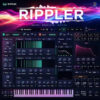
Cloudy Samples Aesthe v1.0.0 for Windows


About Cloudy Samples Analog Deck 24
Aesthe is Cloudy Samples’ mastering and mix-enhancement plugin, and it’s built around a different premise than a typical EQ or compressor: instead of you dialing in settings by ear, it analyzes the incoming signal in real time and adapts its processing to what’s actually there. Turn one knob, and it triggers a chain of adaptive processors instead of one fixed effect.
It’s aimed at anyone finishing a mix who wants a fast, intelligent polish pass rather than stacking 5 separate plugins by hand. Vocal engineers dealing with harshness or sibilance, producers cleaning up a muddy low-mid buildup on a drum bus, anyone mastering a full mix who wants warmth and clarity without second-guessing every setting. It covers a wide range of genres well: EDM, hip-hop, pop vocals, lo-fi, house, techno, R&B, podcasts, and cinematic work all get mentioned as fits.
The signal chain runs through 2 main sections. The Cleaner handles problem frequencies: De-Rumble for adaptive low-end cleanup that keeps kick and bass weight intact, De-Mud/De-Box/Un-Cloud for boxy low-mid resonance, Harsher/Tame for piercing digital frequencies, De-Ess for surgical sibilance removal, and Focus for pushing key elements forward in the mix. The Enhancer section then adds character back in: warmth, stereo depth, harmonic saturation, and a final Varnish stage for overall sheen. A classic analog-style VU meter doubles as the preset browser with one click, and built-in Autogain keeps A/B comparisons honest by matching loudness automatically.
As a 1.0.0 release, Aesthe doesn’t carry a version history yet, but it launched as part of an already active Cloudy Samples catalog that includes Analog Deck 24, Resonia, and Filtre, so it’s built on a workflow the company has iterated on before. It runs as a 64-bit VST3/AU plugin, with a resizable interface and universal support across Windows and both Intel and Apple Silicon Macs.
Key Features (Latest Version)
- Adaptive Signal Analysis: Processing responds dynamically to your input in real time.
- De-Rumble: Removes sub-frequency buildup while preserving low-end punch.
- De-Mud / De-Box / Un-Cloud: Targets boxy, muddy low-mid resonance.
- Harsher / Tame: Smooths piercing digital frequencies without dulling the sound.
- Surgical De-Essing: Removes sibilance while preserving air and brightness.
- Focus Module: Phase and spectral processing to push elements forward in a mix.
- Varnish Stage: Adds warm harmonic saturation for a finished, polished sheen.
- 16 Advanced Processors: Combined into a single streamlined workflow.
- Built-in Autogain: Objective, level-matched A/B monitoring.
- Universal Support: 64-bit VST3/AU, Windows, and both Intel and Apple Silicon Macs.
Cloudy Samples Analog Deck 24 v1.0.0 Screenshots

System Requirements (Windows)
- Operating System: Windows 10 / Windows 11 (64-bit)
- Processor: Intel Core i5 or AMD Ryzen 5 equivalent
- Memory: 8 GB RAM recommended
- Storage: Sufficient free space for the instrument and sample content
- Plugin Format: VST3
- DAW: Compatible VST3 host application
- Audio: ASIO-compatible audio interface recommended
How to Install Cloudy Samples Analog Deck 24 v1.0.0
- Download the Windows installation package.
- Extract the archive using WinRAR or 7-Zip if required.
- Run the installer.
- Install the required instrument and sample content.
- Select the preferred installation or library location if prompted.
- Complete the installation process.
- Launch your preferred DAW.
- Run a VST3 plugin scan if the instrument is not detected automatically.
- Load Analog Deck 24 and begin creating sounds.
Note: Make sure the required sample content is installed correctly and that your DAW is scanning the VST3 location used during installation.
Related Software You May Like
- REAPER v7.75 for Windows
- Undertone Audio MPEQ-1 v1.0.0.C for Windows
- Overloud TH-U v2.0.16 for Windows
Summary
Cloudy Samples Analog Deck 24 v1.0.0 for Windows is a sample-based instrument designed to add analog-inspired warmth, texture, and character to modern music-production projects.