Cloudy Samples Analog Deck 24 v1.0.0 for Windows


About Cloudy Samples Aesthe
Analog Deck 24 is Cloudy Samples’ take on the “one plugin, instant character” idea. Instead of scrolling through dozens of separate effects trying to find the right combination, it puts 24 curated processing shapes across 4 dedicated decks, each one built to solve a specific kind of problem fast.
It’s aimed at anyone who wants analog-style warmth and polish without building a chain from scratch. Producers finishing a mix under deadline, engineers who want a quick tone pass on a rough bounce, or anyone who just doesn’t want to think too hard about which 3 plugins to stack for “make this sound less digital.” Deck A handles dynamics (Punch, Crush, Tight, Glue, Control, Limit), Deck B handles tone (Warm, Bright, Dark, Air, Body, Crisp), Deck C covers space (Room, Hall, Plate, Spring, Width, Ambience), and Deck D brings modulation (Chorus, Flange, Phase, Doubler, Wobble, Vinyl).
The workflow is built for speed. Click an effect button and a dedicated slider appears instantly, so you’re never digging through nested menus to adjust one parameter. Dry/wet visual feedback in the Analysis Window shows you exactly how your processing is shaping the signal in real time, and 32 factory presets give you a starting point across a range of mixing situations. Everything’s automatable, with full MIDI Learn support if you want hands-on control.
As a first release, version 1.0.0 doesn’t have prior version history to build on, but it’s clearly built with a live product line in mind. Cloudy Samples runs several other plugins in a similar space (Vintage Tape Machine, Open Wide, Cyberverb, Resonia), so Analog Deck 24 slots into an existing catalog rather than showing up as an isolated one-off. It runs as a 64-bit VST3/AU plugin on both Windows and macOS, with a full master and EQ section built in.
Key Features (Latest Version)
- 24 Built-in Effects: Curated processing across 4 dedicated decks.
- Deck A (Dynamics): Punch, Crush, Tight, Glue, Control, and Limit.
- Deck B (Tone): Warm, Bright, Dark, Air, Body, and Crisp.
- Deck C (Space): Room, Hall, Plate, Spring, Width, and Ambience.
- Deck D (Modulation): Chorus, Flange, Phase, Doubler, Wobble, and Vinyl.
- Instant Slider Access: Click any effect to reveal its control immediately.
- 32 Factory Presets: Starting points for a range of mixing scenarios.
- Analysis Window: Real-time dry/wet visual feedback.
- Master & EQ Section: Built-in tone shaping on the output stage.
- MIDI Learn & Full Automation: Hands-on control and DAW automation support.
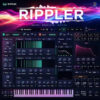
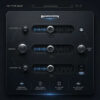
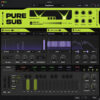
Cloudy Samples Aesthe v1.0.0 Screenshots

System Requirements (Windows)
- Operating System: Windows 10 / Windows 11 (64-bit)
- Processor: Intel Core i5 or AMD Ryzen 5 equivalent
- Memory: 8 GB RAM recommended
- Storage: Sufficient free space for the instrument and sample content
- Plugin Format: VST3
- DAW: Compatible VST3 host application
- Audio: ASIO-compatible audio interface recommended
How to Install Cloudy Samples Aesthe v1.0.0
- Download the Windows installation package.
- Extract the archive using WinRAR or 7-Zip if required.
- Run the installer.
- Install the required instrument and sample content.
- Select the appropriate installation or library location if prompted.
- Complete the installation process.
- Launch your preferred DAW.
- Run a VST3 plugin scan if the instrument is not detected automatically.
- Load Aesthe and begin creating sounds.
Note: Make sure the required sample content is installed correctly and that your DAW is scanning the VST3 location used during installation.
Related Software You May Like
- AnalogX Genesis Pro v2.1.0 for Windows
- Dezert Audio FREQ-FX v1.0.8 for Windows
- Transcribe! v9.60.1 for Windows
Summary
Cloudy Samples Aesthe v1.0.0 for Windows is a sample-based music production instrument for adding creative sounds, musical layers, and textures to modern compositions and arrangements.