EVA Instruments Nearizer FX for MacOS
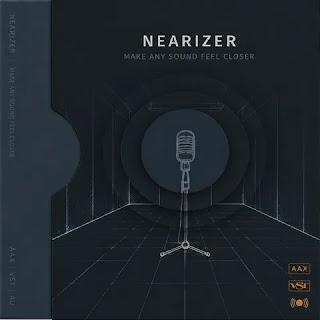

About EVA Instruments Nearizer FX
EVA Instruments Nearizer FX is a creative audio effect plugin designed to add depth, presence, and spatial enhancement to your mixes. Built for music producers, mixing engineers, composers, and sound designers, Nearizer FX helps reshape audio by bringing instruments and vocals closer to the listener while maintaining a natural and balanced sound. Whether you’re working on pop, electronic, rock, cinematic, podcasts, or voice-over projects, the plugin provides an intuitive workflow that makes enhancing clarity and focus fast and efficient. Its streamlined interface allows users to achieve professional results without spending time adjusting complicated processing chains.
Nearizer FX combines advanced spatial processing with intelligent tonal shaping to improve the perceived position of sounds within a mix. Vocals can become more intimate, guitars gain additional presence, and synths or orchestral instruments sit more naturally in the stereo field. The plugin is equally effective during mixing and post-production, helping audio elements cut through dense arrangements without relying solely on EQ or excessive compression. Beginners can quickly improve their mixes using simple controls, while experienced engineers can fine-tune the processing to match specific production goals. The result is a cleaner, more focused mix that translates well across headphones, studio monitors, and consumer playback systems.
Optimized for modern macOS systems, EVA Instruments Nearizer FX integrates seamlessly with professional DAWs using AU and VST3 formats. The plugin offers efficient CPU performance, allowing multiple instances to run smoothly within complex sessions. Whether you’re polishing a final master, improving vocal intelligibility, enhancing instrument definition, or creating immersive soundscapes, Nearizer FX delivers flexible processing tools that support professional music production and audio post-production workflows.
Key Features (Latest Version)
- Spatial Enhancement: Improve depth and perceived audio positioning.
- Presence Control: Bring vocals and instruments forward in the mix.
- Natural Processing: Enhance clarity while preserving tonal balance.
- Simple Interface: Fast workflow with intuitive controls.
- Professional Mixing Tool: Suitable for music production and post-production.
- Low CPU Usage: Efficient performance for large sessions.
- macOS Compatibility: Supports Intel and Apple Silicon systems.
- AU & VST3 Support: Works with major macOS DAWs.
EVA Instruments Nearizer FX Screenshots

System Requirements (macOS)
- Operating System: macOS 11.0 or later
- Processor: Apple Silicon or Intel 64-bit
- Memory: 8 GB RAM recommended
- Storage: 300 MB available disk space
- Plugin Formats: AU / VST3
- DAW: Compatible AU or VST3 host application
How to Install EVA Instruments Nearizer FX on Mac
- Download the installation package.
- Open the DMG file and run the installer.
- Follow the installation instructions.
- Install the AU and VST3 plugin components.
- Launch your preferred DAW.
- Perform a plugin scan if necessary.
- Insert Nearizer FX on an audio track.
- Adjust the controls to enhance your mix.
Note: If the plugin does not appear after installation, restart your DAW and verify that the AU or VST3 plugin folders are enabled in your plugin manager.
Related Software You May Like
Summary
EVA Instruments Nearizer FX for macOS is a professional spatial enhancement plugin that improves clarity, presence, and depth while integrating seamlessly into modern music production workflows.