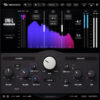
Knock Audio KNOCK v1.2.5 for Windows


About Knock Audio KNOCK
KNOCK comes from DECAP, an ARIA Platinum producer whose drum work has landed on tracks for Kendrick Lamar, Beyoncé, Bad Bunny, and dozens of other Billboard-charting artists. Before this plugin existed, he built a reputation through Drums That Knock, a sample pack series that’s shaped a chunk of modern hip-hop and pop production. KNOCK takes the processing chain behind that signature sound and puts it in a single plugin.
It’s built for anyone whose drums feel thin or buried in the mix, which is most producers at some point. Beginners who don’t know how to make a kick punch through a busy arrangement, and working engineers who just want DECAP’s specific processing without rebuilding it from scratch every session, both land on the same tool here. It’s designed to be usable immediately, not something that takes a manual to figure out.
The plugin runs 3 core modules on a drum bus or individual hit. A transient shaper adds Punch, amplifying attack to make a hit snap instead of thud. A saturation stage adds harmonic distortion across 3 selectable modes (soft, medium, hard) while compensating for perceived loudness, so cranking distortion doesn’t just mean cranking volume. And a sub generator detects when a kick is present and layers a tuned sub-frequency tone underneath it, with adjustable pitch, useful for breakbeats or for tuning a kick to match the key of a track. A bypass toggle lets you A/B the difference instantly while a loop is playing.
KNOCK runs as a 64-bit VST3, AU, and AAX plugin, supported by every major DAW, and it comes bundled with factory presets built by DECAP himself. It’s also available as a mobile app for iOS. A free trial gives full access to test it before buying, and Knock Audio also sells it bundled with the entire Drums That Knock sample library (9 volumes) plus KNOCK Clipper for anyone who wants the complete processing chain and sound source in one purchase.
Key Features (Latest Version)
- Transient Shaper: Amplifies drum attack for a snappier, more punchy hit.
- 3-Mode Saturation: Soft, medium, and hard harmonic distortion with loudness compensation.
- Kick Detection & Sub Generation: Automatically layers a tuned sub tone under detected kicks.
- Adjustable Sub Pitch: Tune the generated sub tone to match your track’s key.
- Instant A/B Bypass: Toggle processing on and off during playback.
- DECAP Factory Presets: Starting points built by the plugin’s own designer.
- Low CPU Usage: Light enough to run across many tracks at once.
- KNOCK Clipper Included Option: Standalone or bundled hard/soft clipper module.
- Cross-Platform Formats: 64-bit VST3, AU, and AAX, plus a standalone iOS app.
- Free Trial: Full-featured trial available before purchase.
Knock Audio KNOCK v1.2.5 Screenshots

System Requirements (Windows)
- Operating System: Windows 10 / Windows 11 (64-bit)
- Processor: Intel Core i5 or AMD Ryzen 5 equivalent
- Memory: 8 GB RAM recommended
- Storage: 200 MB available disk space
- Plugin Format: VST3
- DAW: Compatible VST3 host application
- Audio: ASIO-compatible audio interface recommended
How to Install Knock Audio KNOCK v1.2.5
- Download the Windows installation package.
- Extract the archive using WinRAR or 7-Zip if required.
- Run the installer.
- Select the VST3 installation location.
- Complete the installation process.
- Launch your preferred DAW.
- Perform a VST3 plugin scan if KNOCK is not detected automatically.
- Load KNOCK on a kick, drum track, percussion channel, or drum bus.
- Adjust the processing to suit your production.
Note: If KNOCK does not appear in your DAW, verify that the VST3 component was installed correctly and perform a manual plugin rescan.
Related Software You May Like
- Arturia Sound Banks Bundle 2026.6 for Windows
- Fender Studio Pro 8 v8.1.1 for Windows
- In The Mix Bassmaker v1.0.1 for Windows
Summary
Knock Audio KNOCK v1.2.5 for Windows is a focused drum-processing plugin for adding punch, impact, weight, and definition to kicks, percussion, and drum buses in modern music production.